
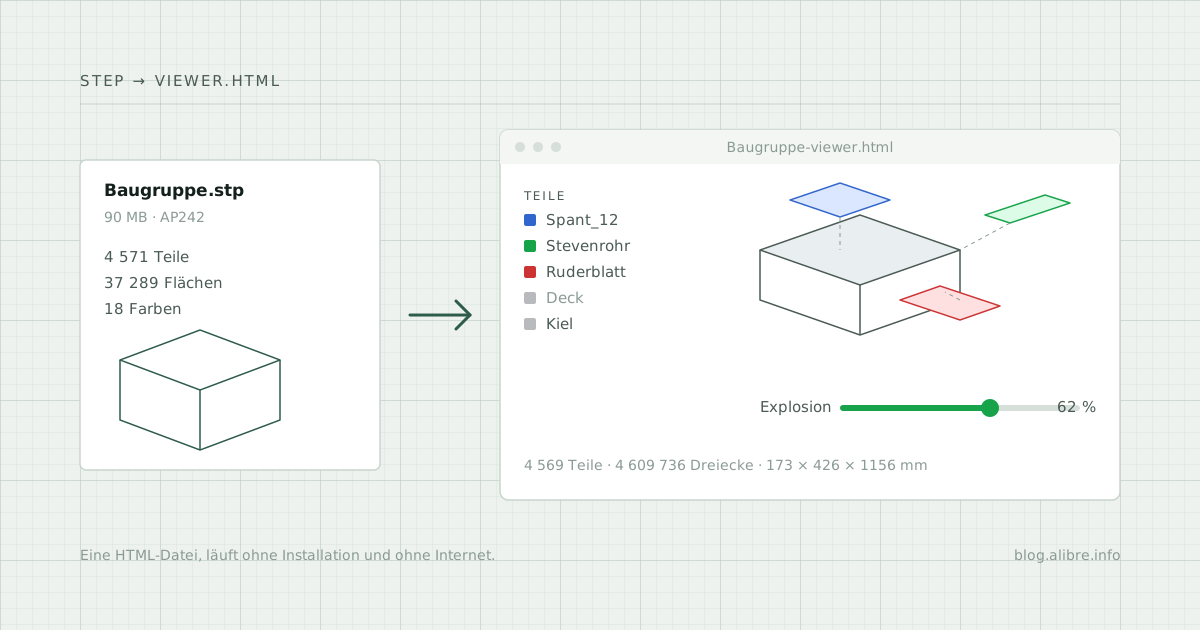
A model builder has designed the hull of a ship in Alibre Design: 4,571 parts, frames, stern tubes, rudder gear, drive train. The client has no CAD software but still wants to rotate the model, hide individual parts and see the assembly pulled apart. The STEP file is 90 MB.
The STEP Web Viewer turns it into a ZIP file containing a single HTML page. The recipient unzips it and double-clicks. Nothing else is needed: no installation, no account, no internet connection.
What the viewer does
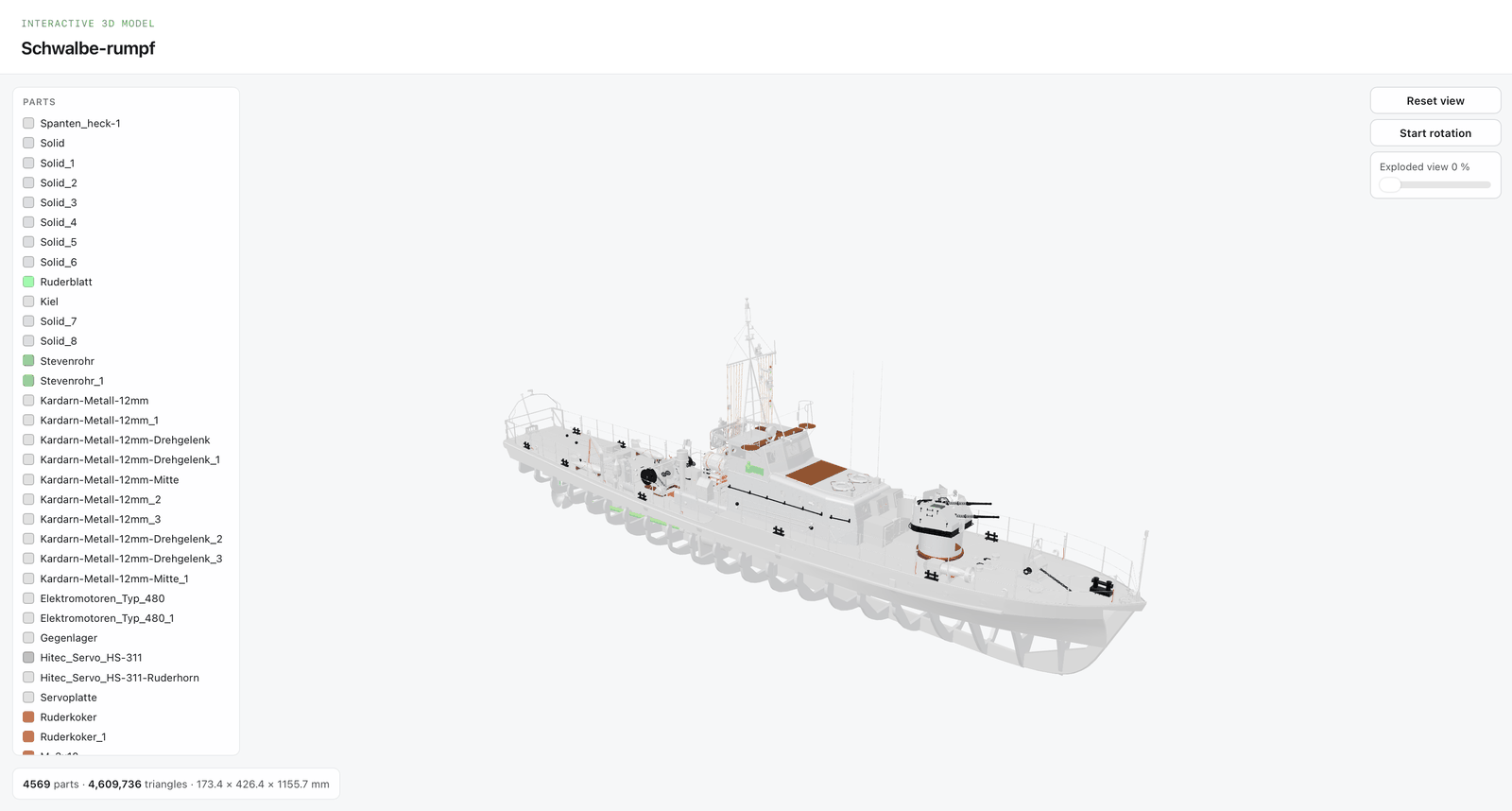
The generated HTML file contains the model and everything needed to display it. It shows:
- the assembly, rotatable, with the colours from Alibre Design
- a parts list with names and colour swatches, from which parts can be hidden and shown; clicking a part in the model hides it as well
- a slider for the exploded view, which pulls the parts apart along their main axes
- part count, triangle count and the dimensions in millimetres
Everything runs locally. Neither the tool nor the generated viewer loads anything from the internet or transmits data. Both have a German and an English interface.
From Alibre to the viewer in four steps
- Export from Alibre. Save the assembly as a STEP file. Assembly structure, part names and the colour of each part are carried over as far as they are contained in the STEP file. Alibre Design V29 writes the AP242 schema; the tool also reads AP203 and AP214.
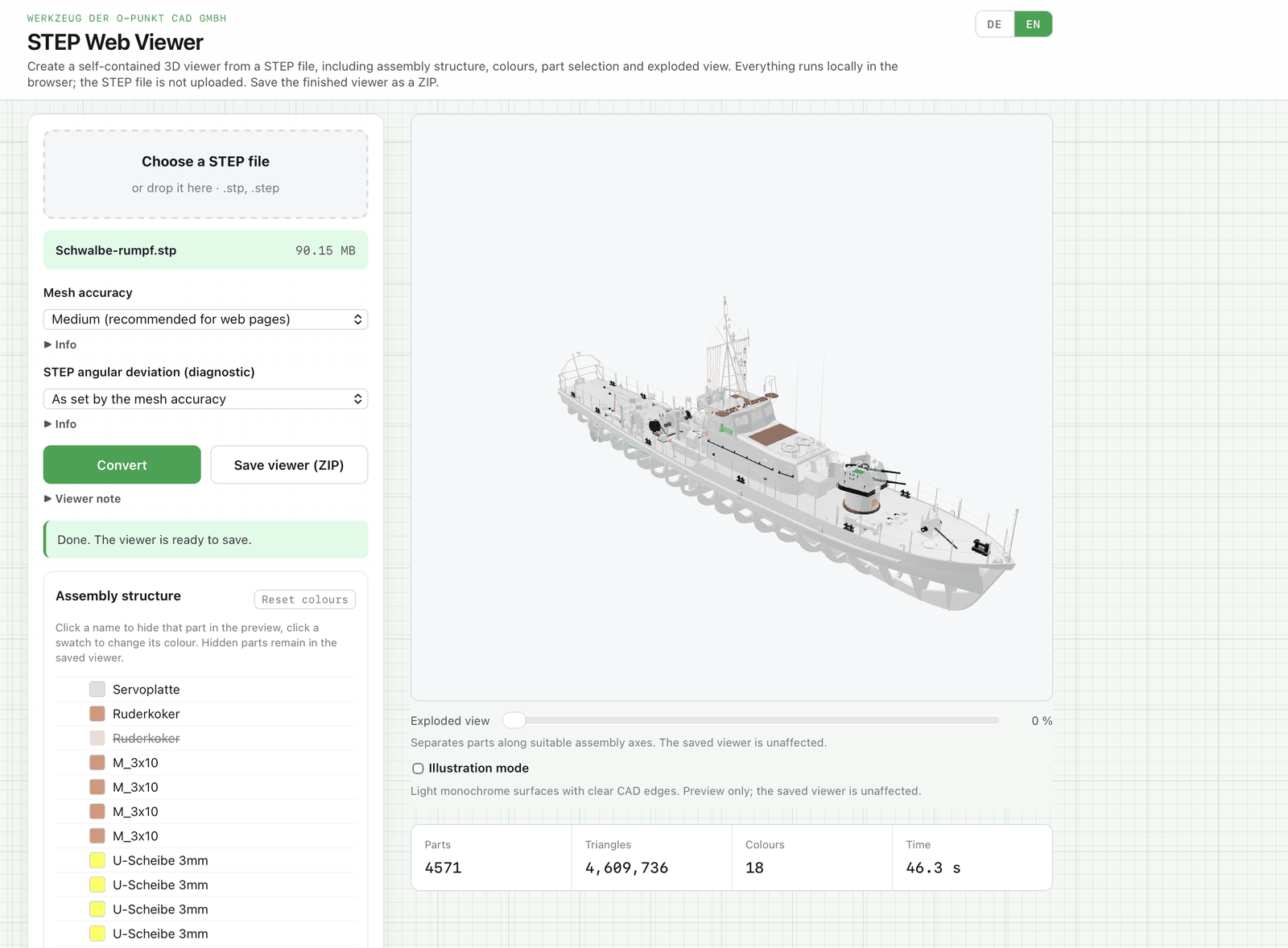
- Convert and check the preview. Open the tool's HTML file in the browser, drop the STEP file onto it, choose an accuracy and click "Convert". The preview shows geometry, colours and assembly tree exactly as the recipient will see them.
- Adjust colours and visibility. Clicking a swatch in the parts list changes the colour of a part; the change is written into the viewer. Clicking a name hides the part in the preview; hidden parts remain in the saved viewer.
- Save the viewer. "Save viewer (ZIP)" creates the archive with the HTML file and a short README.
The recipient should extract the ZIP to a local hard disk before opening it. Run straight from OneDrive, SharePoint, Google Drive, Dropbox or a network share, the viewer often stays blank because the file is only a placeholder there or the browser restricts access.
Accuracy and file size
Three levels control how finely curved surfaces are broken into triangles. Measured on the ship hull with 37,289 faces:
| Level | Triangles | ZIP | HTML extracted |
|---|---|---|---|
| Coarse | 1,078,766 | 8.5 MB | 23.9 MB |
| Medium | 4,609,736 | 26.4 MB | 63.8 MB |
"Medium" is the default for web pages and sharing. "Fine" multiplies the triangle count once more. The geometry is stored compressed in the viewer (EXT_meshopt_compression); the figures above are already compressed.
For comparison runs there is an additional setting, "STEP angular deviation (diagnostic)". It overrides the angular deviation of the selected level and normally stays at "As set by the mesh accuracy".
Large assemblies
The engine works in the browser with up to 4 GB of memory. What matters is not the file size but the number of faces. After a file is chosen, the tool counts the faces and, from 20,000 upwards, shows a note on duration and memory. The ship hull (37,289 faces) takes around two minutes to convert on a current Mac, followed by export and compression. STEP files above 500 MB are not accepted.
If memory runs out, the tool says so and locks "Convert" until the page is reloaded. A coarser level or splitting the assembly into several STEP files then helps.
Preview only: exploded view and illustration mode
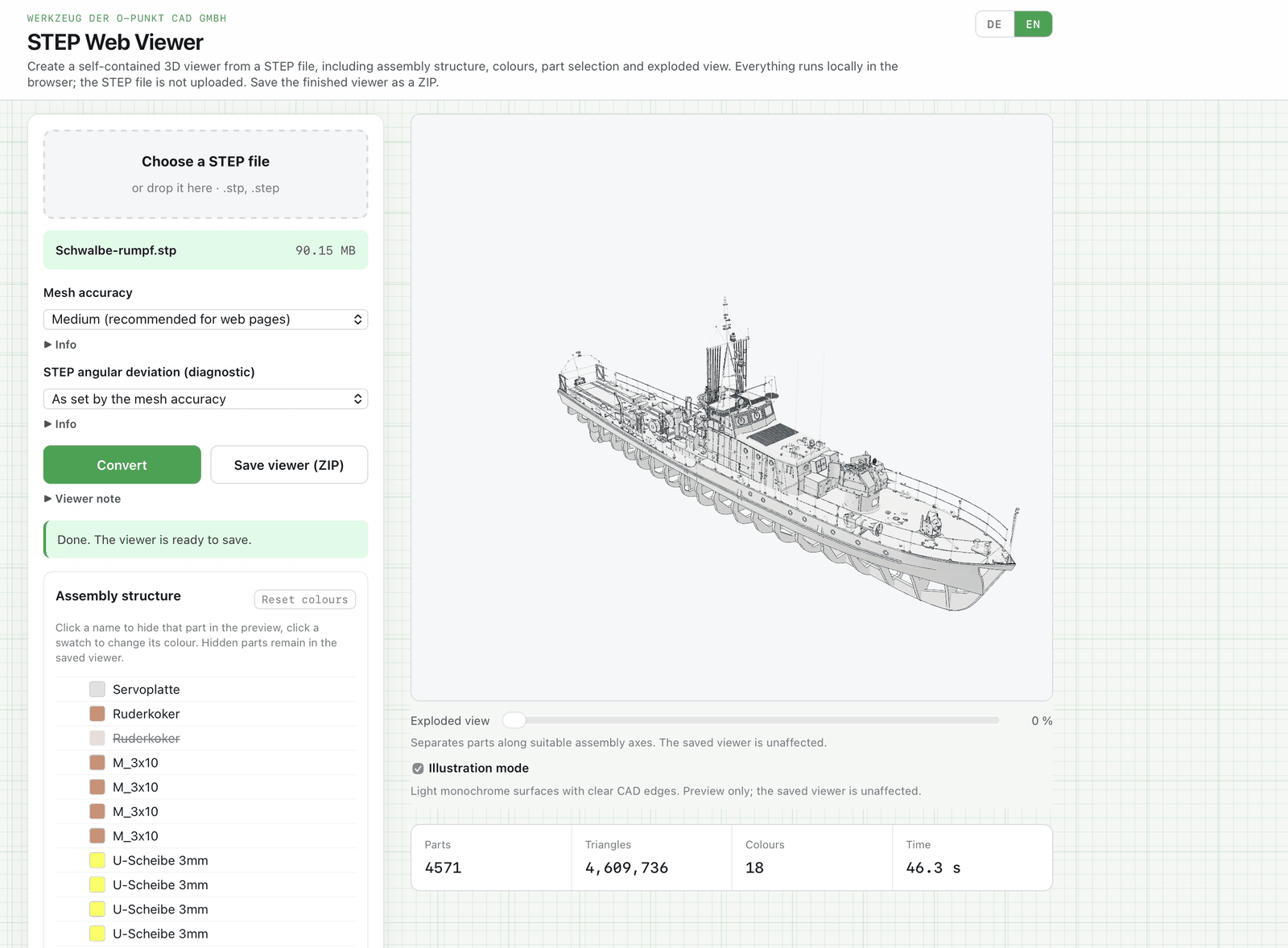
The exploded view slider in the preview is for checking; the saved viewer has its own slider and always starts at 0 %. Illustration mode shows the assembly in light, monochrome surfaces with CAD edges, for a screenshot for example. It affects the preview only; the viewer is unchanged.
How it differs from the GLB converter
The STEP and OBJ to GLB converter remains available. It produces a GLB file for embedding in your own web pages and also reads OBJ. The STEP Web Viewer produces only the finished viewer for sharing and is built for large assemblies from Alibre.
Licences
The STEP file is read by Open CASCADE Technology 7.6.1, integrated through occt-import-js 0.0.23 by Viktor Kovács, both under LGPL-2.1. The engine is built with two changes to the original: a build option raises its memory limit to 4 GB, and the lookup of part names and colours is faster. The source code of the version used, including these changes as a patch, is available at blog.alibre.info/lizenzen/occt-import-js-0.0.23-src.zip.
Display and viewer generation use three.js r169 under the MIT licence, compression uses meshoptimizer 1.2, also MIT. The full licence texts are included in the tool itself.
Changes
V38.20-K, 3 October 2026 First release. Engine with 4 GB memory limit and faster lookup of names and colours. Face counter with a note from 20,000 faces. Exploded view in preview and viewer, illustration mode in the preview. Out-of-memory detection with a lock until the page is reloaded.